Operator lets you dial in from any telephone when your phone is lost, damaged, or locked behind 2FA—enter your enrolled phone number and Voice PIN, and check your Google Calendar and Google Contacts hands-free.
A narrated 1080p walkthrough of connecting your Google Account, verifying your phone, setting your Voice PIN, and dialing 1-855-550-OPER (+1 855-550-6737).
Operator narrated 1080p walkthrough with on-screen captions.
Part 1 • One-Time Enrollment (5 Minutes)
Complete setup before you ever need it
Enroll while you still have your phone and Google account available so your voice lifeline is ready whenever you need it.
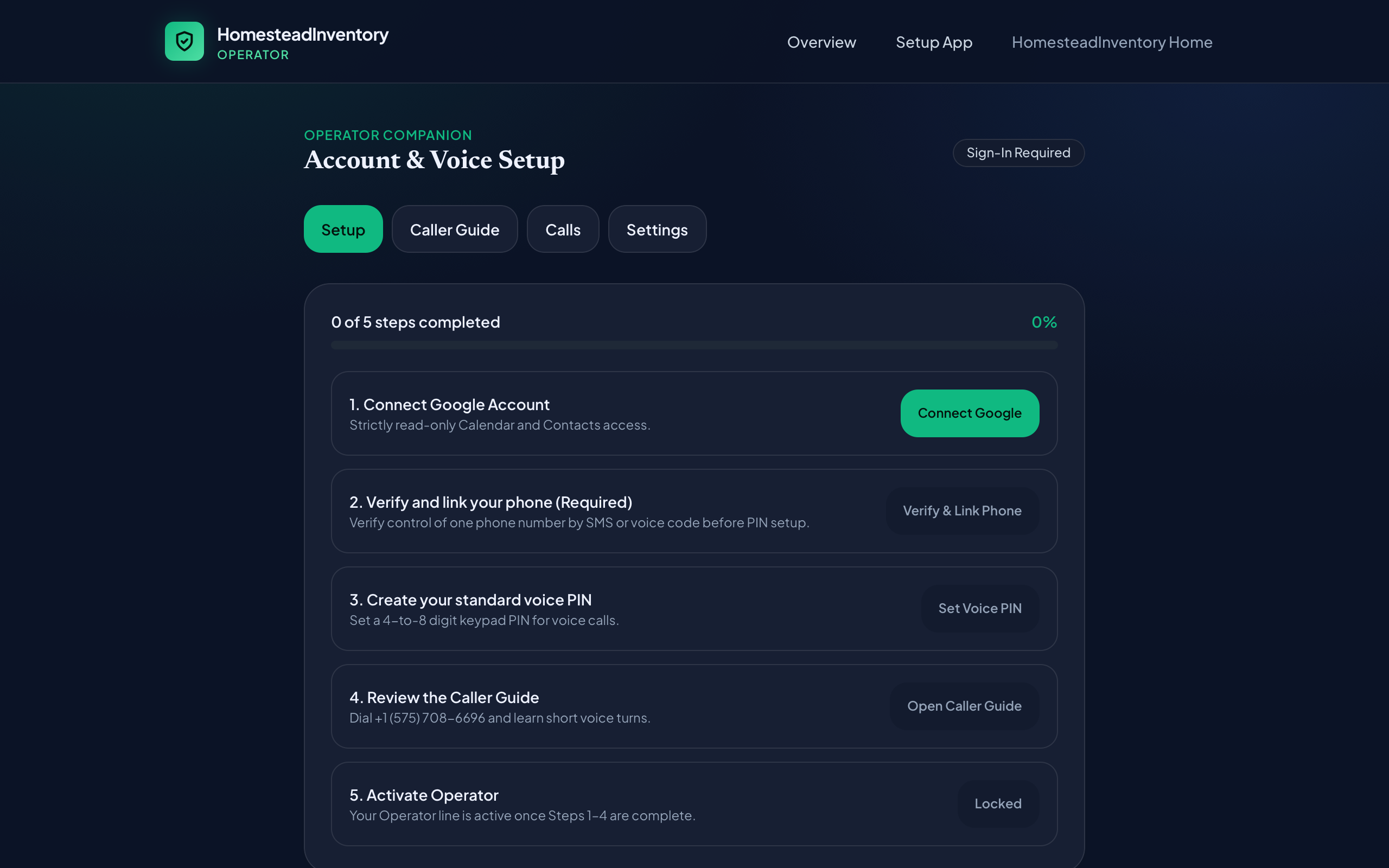
The Operator web portal at homestead-operator.web.app/operator walks you through all 4 steps in under five minutes.
Step 1 • Google Account
Connect Google (Read-Only)
Open homestead-operator.web.app/operator/app and click Continue to Google Sign-In. Approve the two read-only permissions: calendar.readonly and contacts.readonly. Your token is encrypted at rest with Google Cloud KMS.
Step 2 • Phone Verification
Verify Your Phone Number
Enter your 10-digit U.S. number and choose Text message (SMS) (default, with iPhone/Android one-tap autofill) or Voice call fallback (reads your 6-digit code aloud three times for landlines).
Step 3 • Voice PIN
Create a 4–8 Digit PIN
Pick a numeric PIN you can recall under stress without a password manager. Avoid obvious patterns (1234, 0000, or your birth year). PINs are stored as salted cryptographic hashes.
Step 4 • Activate & Save
Save 1-855-550-OPER (+1 855-550-6737)
Confirm your line shows Active on the Caller Guide. Save 1-855-550-OPER (+1 855-550-6737) in your contacts and on a physical wallet card so you have it if your phone is missing.
Step 1 in the Operator Companion Web App: sign in with Google to grant read-only Calendar and Contacts access.
Part 2 • Calling from Any Telephone
What happens when you dial in
You do not need to call from your own phone. Operator always prompts for your enrolled 10-digit number so any landline, hotel phone, or borrowed handset works identically.